World Press Photo of the Year Was Manipulated — Does it Matter Anymore?

The World Press Photo is an Inter­na­tional non profit orga­ni­za­tion that runs a pres­ti­gious con­test that has been around since 1955. Every year they choose a win­ning pho­to­jour­nal­is­tic image from among thou­sands of entries from dif­fer­ent cat­e­gories and name a sin­gle image as World Press Photo of the Year.  Many of the past win­ning images are iconic photographs.

This year, the win­ning image called Gaza Bur­ial by Paul Hansen has under­gone a lot of con­tro­versy. Some are say­ing that the 2013 World Press photo of the year image is fake, that it is a com­pos­ite image and should be dis­qual­i­fied. Oth­ers are say­ing that the image is not a com­pos­ite image but is very manip­u­lated. Another ver­sion of the same image has been dis­cov­ered on Flickr which is only adding to this controversy.

World Press Photo denies that the image is a com­pos­ite but agrees that it was retouched with respect to both global and local color and tone.

Wel­come to the new pho­to­graphic world where real­ity is sub­jec­tively mas­saged by the pho­tog­ra­pher, even in pho­to­jour­nal­ism. If you think that this should not be the case, in the­ory I’ll tell you that I agree with you.

I’ll also tell you that cling­ing to these purist notions gets you nowhere and that the vast major­ity of qual­ity pho­tographs that I see today, in any and all pho­tog­ra­phy gen­res have been manip­u­lated in some way.

Even clas­sic pho­to­jour­nal­is­tic images have been manip­u­lated in the past. Tokomo Uemura in her Bath from the Min­i­mata series by Eugene Smith was bleached for exam­ple to make the whites whiter. But that was a black and white pho­to­graph. The aver­age per­son does not know how skin tones should ren­der in black and white so these images were more sub­tle in their manip­u­la­tion. Way eas­ier to spot unnat­ural look­ing colours in colour photojournalism.

Pho­tog­ra­phers them­selves are on the fence about what level of manip­u­la­tion they feel is accept­able in Pho­to­jour­nal­ism. Even for World Press Photo the line is grey. Accord­ing to one of the con­test rules which I could NOT find on their site (but is repeated on many other web­sites),  “con­tent of the image must not be altered. Only retouch­ing which con­forms to the cur­rently accepted stan­dards in the indus­try is allowed”.

And THAT my fel­low photo lovers is the prob­lem. “Accepted Indus­try stan­dards?” Are they for real?  There AREN’T any stan­dards any­more. They vary from news agency to news agency. Remem­ber manip­u­lated O.J. Simp­son pho­tos…That was nearly 20 years ago and it’s obvi­ously still going on daily.

In this case, the answer is very very very sim­ple. Clearly write out the stan­dards you expect for your par­tic­u­lar contest!!!!

Here are the two images in ques­tion. It’s likely obvi­ous to any­one that has been shoot­ing for a while that both of these images were mas­saged in pho­to­shop. I do not think the image is a com­pos­ite. But the colours of the faces in par­tic­u­lar do not look nat­ural. The light­ing does not look nat­ural. It has been mas­saged to draw atten­tion from one ele­ment in the image to another ele­ment. Doing this actively guides the viewer’s eye.

I do this type of active guid­ing all the time (lev­el­ling the image, selec­tive dodg­ing and burn­ing etc. ) in 99% of the images I make. I used to do it in the dark­room. It was part of my pho­tog­ra­phy edu­ca­tion — it was con­sid­ered an essen­tial part of cre­ative pho­tog­ra­phy. But I am not a photojournalist.

So what do you think? Was this photo (s) “too” manipulated?

Gaza City Burial by Paul Hansen - Nov 2012 from Hackerfactor.com

Gaza City Bur­ial by Paul Hansen — Nov 2012 from Hackerfactor.com


Gaza City Burial by Paul Hansen - Feb. 2013 from Hackerfactor.com

Gaza City Bur­ial by Paul Hansen — Feb. 2013 from Hackerfactor.com


Restrictions on Aperture — I Felt Restricted

Ten days or so ago I posted on Face­book that it was going to be an f/2.8 day (using large aper­tures) and a strange thing hap­pened —  it was quite unex­pected actu­ally. What hap­pened was that I found myself hand­cuffed — unable to shoot. This seemed strange to me because I’ve put restric­tions on myself for fun a few times in the past but never an aper­ture restric­tion. In the past it was shoot­ing with a spe­cific focal length or delib­er­ately using an extra-high ISO or shoot­ing with a spe­cific theme in mind.

But this aper­ture restric­tion was dif­fer­ent for me and in ret­ro­spect I can see why. It depends on what play­ground you hang out in. If you are mainly a por­trait per­son, you shoot cre­ative por­traits wide open; that’s cool and fun…but it’s eas­ier because there is already some guid­ance with regard to sub­ject mat­ter. But when you go out ‘just to shoot’ and you’ll shoot just about any­thing that’s visu­ally inter­est­ing, then it gets harder.

For some crazy rea­son I found myself search­ing for scenes that I felt were wor­thy of what f/2.8 can do bokeh wise. I was plac­ing this sin­gle aspect of the lens above all else and it was taint­ing my expe­ri­ence of look­ing for scenes to shoot. It was slow­ing me down and suck­ing from the joy of pho­tog­ra­phy for pure pleasure.

So for this rea­son — I didn’t like this par­tic­u­lar aper­ture restric­tion exer­cise even though I DO like the con­cept of restric­tion exer­cises in gen­eral. Maybe it’s also because I feel like I should have been able to over­come the restric­tion more eas­ily. Truth is, I really didn’t feel like I had any­thing of value on day 1. Then life gets busy and so I took a few days and waited more patiently for scenes where a large aper­ture seemed more appro­pri­ate. Here are a few that I liked. These were all taken near f/2.8 (I say near because I used a cou­ple of dif­fer­ent lenses whose largest aper­tures were near f/2.8).

Vorsky - ISO 200 f/1.8 1/100

Vorsky — ISO 200, f/1.8, 1/100

Beer Kitteh - ISO 3200 f/2.5 1/80

Belle Gueule — Beer Kit­teh — ISO 3200, f/2.5, 1/80

Not Recommended - ISO 200 f/2.8 0.3

Not Rec­om­mended — ISO 200, f/2.8, 0.3

Light Trip - Palais Des Congres - Montreal - ISO 200 f/1.8 1/2500

Light Trip — Palais Des Con­gres — Mon­treal — ISO 200, f/1.8, 1/2500

Past Reflections - ISO 200 F/1.8 1/200

Past Reflec­tions — ISO 200, F/1.8, 1/200

Photoshop file exposure and exif data

When we are work­ing on our images in pro­grams like Pho­to­shop, some­times we for­get the expo­sure infor­ma­tion in the orig­i­nal file. We can also for­get many other use­ful bits of infor­ma­tion that are embed­ded in the file like did the flash fire, what focal length was used etc.

In Light­room and Bridge (comes free with Pho­to­shop) this Exif data is easy to find, the default pro­gram set­tings reveal this infor­ma­tion clearly.  Not so in Pho­to­shop where it is buried under the file menu (in Windows).

File — File info.… reveals the Exif data for any image you are work­ing on in Pho­to­shop. Click on the Cam­era Data tab to see the expo­sure information.

The key­board short cut (Win­dows) ALT + SHIFT + CTRL +I does the same thing.
The key­board short cut (Mac) OPTION + SHIFT + COMMAND +I does the same thing.

How to find exposure or exif data in Photoshop

How to find expo­sure or exif data in Pho­to­shop (This is a CS6 win­dows screenshot)


How to find exposure or exif data in Photoshop (This is a CS5 Mac screenshot)

How to find expo­sure or exif data in Pho­to­shop (This is a CS5 Mac screenshot)

New ICM Photography by Michael Orton

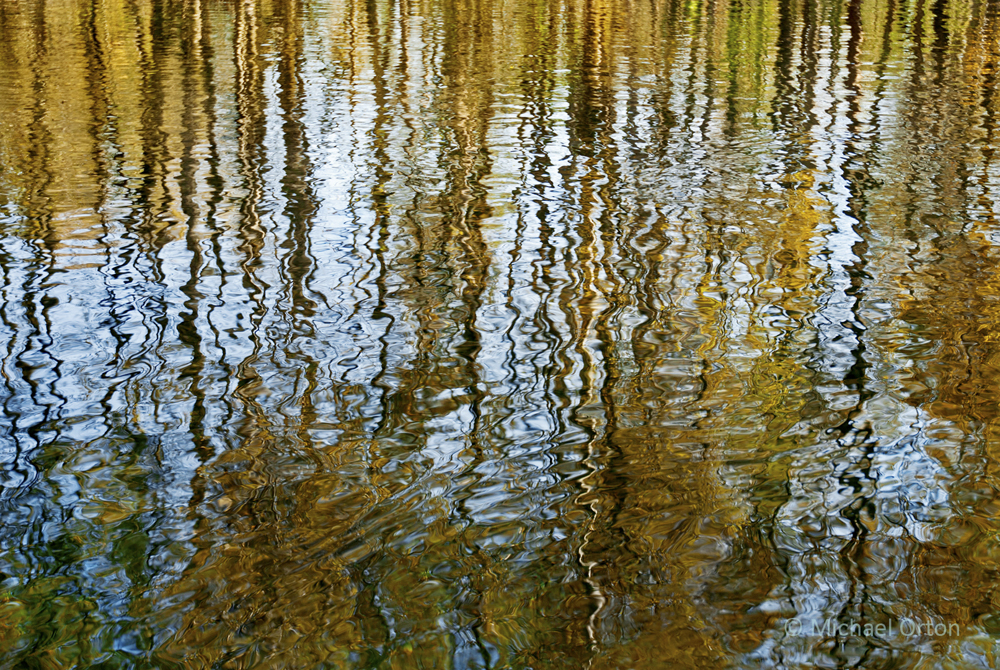
Michael Orton is one of my favourite mod­ern fine art land­scape pho­tog­ra­phers and he has just recently added new work to his web­site and revamped his gal­leries. Reg­u­lar fol­low­ers of this blog/podcast may remem­ber the 2 pho­tog­ra­phy pod­casts that he and I recorded together. The first one cov­ered a pho­to­graphic tech­nique called the Orton effect which Michael invented in the mid 80’s. The sec­ond pod­cast, recorded about 1 year ago intro­duced a brand new body of work based on Inten­tional Cam­era Move­ment or ICM.

Heavenly by Michael Orton

Heav­enly by Michael Orton


Michael has now added many brand new ICM pho­tographs to his gal­leries and his new work con­tin­ues to inspire me per­son­ally and pro­fes­sion­ally. What blows me away to the Nth degree is the crafts­man­ship of these pho­tographs and Michael’s abil­ity to See. Michael has inspired me to such a degree that last year upon his sug­ges­tion I started my own project called Impres­sion­is­tic Cities at Night. Now I’m so addicted that I troll the streets of Mon­treal hunt­ing for light. But this post is not about me, I only included the last few sen­tences because I can now per­son­ally attest to how dif­fi­cult it is to get great results using ICM — and  it’s a bloody dif­fi­cult tech­nique to get good at.

I have been research­ing and check­ing out the work of other pho­tog­ra­phers using ICM and there are many tal­ented artists out there. But to my eye, nobody’s work com­pares to Michael Orton’s ICM work in terms of impact, colour, con­sis­tency and craftsmanship.

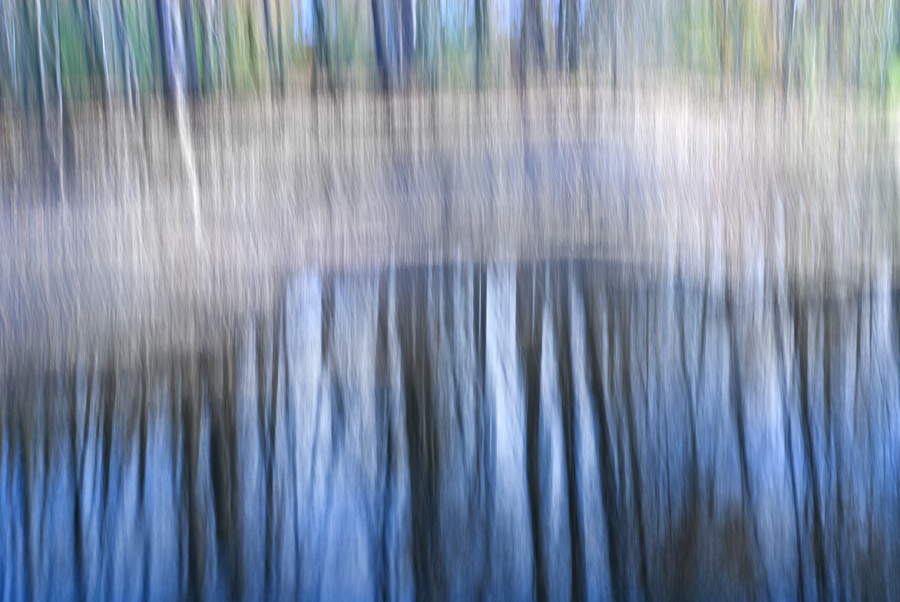
Beginning by Michael Orton

Begin­ning by Michael Orton


I chose 2 pho­tographs of Michael’s to fea­ture in this post and Michael gra­ciously sent me the fol­low­ing infor­ma­tion about each of these pho­tographs. Many thanks as always Michael and please keep on shooting!

Begin­ning by Michael Orton — “Begin­ning  is a small path thru the woods just below where we live . These are Alder trees and the path is paved and dry with some fallen nee­dles on it . The light was over­cast and par­tial polar­izer was applied. I applied what I would describe as a tip­ping motion with one side of the cam­era mov­ing less than the other. I fol­lowed the line of the dom­i­nant tree trunks lean­ing over the path. Too much motion and the image becomes unrec­og­niz­able ( which you know I love to do) and too lit­tle and it becomes lets say predictable.”

Heav­enly by Michael Orton — “Heav­enly is a grove of Almond trees in South­ern Cal­i­for­nia. The title pretty much says it  all, lit­er­ally clouds of blos­soms. The trees were laden and the ground was nearly cov­ered. The sky was blue and clear and I knew that the cam­era sen­sor would see this blue to a cer­tain degree in the shad­ows beneath the trees. This  “moment”  was amaz­ing, I felt lit­er­ally enveloped, as I walked deeper into the orchard. And the scent was, well, heav­enly. I used many approaches, and as is often the case I thought of sev­eral I didn’t use when we got home and I had time to look at the images. Some­times if I am over­whelmed by the sub­ject this can hap­pen. I don’t let the feel­ing of  “a lost image ” per­sist  though. It becomes “next time it will hap­pen”. So far this has helped me to expand and tune my mind­set and develop almost ever-changing responses to the sub­ject mat­ter I encounter. In the grove I used many”.

Photography forum image of the month – July 2012

Every month on our pho­tog­ra­phy forum mem­bers nom­i­nate images that they like. Then at the end of the month I choose an excel­lent image and talk about why it rocks. The photo I choose is not nec­es­sar­ily the best one of the month. I’ve come to real­ize it’s not really log­i­cal to pit images from totally dif­fer­ent gen­res against each other. That’s why there are cat­e­gories in photo con­tests. I just choose a photo that has extremely strong ele­ments that we can learn from.

Pink by Barefoot

Pink by Barefoot

This month’s choice is Pink by Barefoot

I chose this image for sev­eral reasons:

1 — Com­po­si­tion — The is a very inter­est­ing and unusual com­po­si­tion of a gor­geous bird sleep­ing. I really like the curve all around the bird’s body and where the eye falls in the image. The fram­ing is also inter­est­ing here and Bare­foot has clearly ‘made this his own’. The pure black back­ground also cre­ates inter­est­ing neg­a­tive space here.

2 — Light­ing — The lovely light­ing here is soft over­all and reveals lovely detail in most of the bird’s plumage. That said, cer­tain areas of the pho­to­graph are quite dark but not too dark for my eye. I really like the dra­matic aspect of the light in those selec­tive zones.

3 — Post pro­cess­ing — The post pro­cess­ing here is lovely. Mak­ing the back­ground go to pure black doesn’t always work but it works very well here to com­pli­ment the form of the bird. I dare say that some of the darker areas in the bird’s plumage actu­ally match the back­ground and this works for me. The bird is ren­dered in desat­u­rated tones that I find very strik­ing and suit­able to the sub­ject and mood of the image.

For all these rea­sons, this is my choice for image of the month. Since we all have opin­ions, some mem­bers may dis­agree with my choice. That’s cool but THIS thread is not the place for debate over my pick, NOR is it the place to fur­ther cri­tique the image. The pur­pose here is to sug­gest strong ele­ments in the photo that we may learn from.

Con­grats again Barefoot!

Essential and Advanced Filters for Creative and Outdoor Photography — E-book Review

A few months ago Dar­win Wiggett and Saman­tha Crysan­thou Pub­lished an e-book called Essen­tial and Advanced Fil­ters for Cre­ative and Out­door Pho­tog­ra­phy.  You may think that with dig­i­tal pho­tog­ra­phy the need for fil­ters is over and you would be mis­taken in think­ing this.

Cer­tain fil­ters like the polar­iz­ing fil­ter are essen­tial and at the time of this writ­ing, the effect of this fil­ter (which stays on my lens 95% of the time that I shoot out­doors in the day) is best achieved with an actual fil­ter on the lens. Although I have seen digital-effect polar­iz­ing fil­ters that you apply when post-processing an image, they suck when com­pared to the real thing. Dar­win and Saman­tha pro­vide awe­somely clear images and expla­na­tions as to why this fil­ter is essen­tial, how and when to use it cre­atively and when not to use it. This fil­ter is so impor­tant that a good 20% of the book is devoted to it. This sec­tion alone is worth the 10 dol­lars that they are charg­ing for the e-book.

Two other kinds of essen­tial fil­ters that Dar­win and Saman­tha talk about a great deal are grad­u­ated neu­tral den­sity fil­ters and neu­tral den­sity fil­ters. The pur­pose of grad­u­ated neu­tral den­sity fil­ters is to reduce the con­trast in a scene (like a clipped sky) because when a scene is too con­trasty the cam­era can not record all the tones even though our eye may see them. The fil­ters are nor­mally made of glass or plas­tic and are usu­ally shaded at one end and clear at the other end. Neu­tral den­sity fil­ters are solid coloured and are mainly used to make shut­ter speeds longer to achieve cre­ative blur­ring effects. This sec­tion of the book also has awe­some (fil­tered and non-filtered for com­par­i­son) images and crys­tal clear expla­na­tions on how to use these filters.

The final sec­tion of the book is ded­i­cated to addi­tional fil­ters that can add pop to your images as well as talk­ing about tech­ni­cal con­sid­er­a­tions like colour casts and noise reduction.

This e-book is fab and well worth the ten dol­lars. The only thing I might debate in this book is call­ing the neu­tral grad fil­ters essen­tial. I feel they are essen­tial only in cer­tain very impor­tant  cases. They are essen­tial if you want to spend less time in front of your com­puter post-processing your images, because your images will already have the con­trast con­trol built into the expo­sure. If you are already excel­lent at the HDR tech­nique, (tak­ing mul­ti­ple frames of the iden­ti­cal image with dif­fer­ent expo­sures and then blend­ing them in soft­ware) then these fil­ters are not essen­tial because you can achieve a sim­i­lar goal using HDR. That said, even if you know the HDR tech­nique well, grad­u­ated neu­tral den­sity fil­ters are still use­ful (per­haps even essen­tial) when the scene is con­trasty and involves movement.

It may come as no sur­prise that I highly rec­om­mend this 65 page e-book. Dar­win and Saman­tha are vet­eran pho­tog­ra­phers and teach­ers, write super-clearly and their pics really illus­trate the cre­ative effect these fil­ters have. This is an easy read with an easy on the eyes design. It’s a great e-book to have with you on your smart­phone or tablet for cre­ative inspi­ra­tion while in the field. It’s also a fab resource when you are think­ing about which of these fil­ters to buy.

This book can be pur­chased directly from Dar­win and Sam’s site. 

Photography forum image of the month – May 2012

Every month on our pho­tog­ra­phy forum mem­bers nom­i­nate images that they like. Then at the end of the month I choose an excel­lent image and talk about why it rocks. The photo I choose is not nec­es­sar­ily the best one of the month. I’ve come to real­ize it’s not really log­i­cal to pit images from totally dif­fer­ent gen­res against each other. That’s why there are cat­e­gories in photo con­tests. I just choose a photo that has extremely strong ele­ments that we can learn from.

Male RTH Hummingbird by Mike Bons

Male RTH Hum­ming­bird by Mike Bons

This month’s choice is Male RTH Hum­ming­bird Mike Bons

I chose this image for sev­eral reasons:

Com­po­si­tion — The com­po­si­tion here is very pleas­ing. The bird’s eye lines up on right near one of the lines of the thirds which is visu­ally inter­est­ing. The plant and the bird are cap­tured on a diag­o­nal which is also visu­ally inter­est­ing. Bright­ness is very well han­dled here and I find no dis­trac­tions that bother me.

Colour — What a rich pleas­ing colour palette used here. The colours of the bird and the flower even seem to match. Reds in the flower might be a hint too bright and over­sat­u­rated for me, but I can eas­ily live with it.

Sharp­ness — I love how sharp the bird is here (espe­cially the eye and the beak) ver­sus the out of focus back­ground, it totally pops.

Exposure/lighting — Again both are well han­dled. The com­bi­na­tion of flash and ambi­ent light is what is freez­ing the bird in mid-feeding here. I like how the bird is well lit with­out being ‘over-lit’ by the flash.

For all these rea­sons, this is my choice for image of the month. Since we all have opin­ions, some mem­bers may dis­agree with my choice. That’s cool but THIS thread is not the place for debate over my pick, NOR is it the place to fur­ther cri­tique the image. The pur­pose here is to sug­gest strong ele­ments in the photo that we may learn from.

Con­grats again Mike Bons for cap­tur­ing this lit­tle beauty.

F-16 Isn’t Magic

I’ve been giv­ing photo courses lately and I’m com­ing across a few points that peo­ple are reg­u­larly hav­ing trou­ble with. The lim­its of depth of field (or how sharp objects should be in gen­eral) is one of the things that many pho­tog­ra­phers don’t com­pre­hend. This is often because they are aware of only one of the three fac­tors that deter­mine depth of field, namely the aper­ture. Many of us know that when we use a small aper­ture we get good sharp­ness from fore­ground to back­ground ver­sus large aper­tures. But this is true only up to a cer­tain point because two other fac­tors are miss­ing.  A small aper­ture like F-16 isn’t a magic one that will give you great sharp­ness from fore­ground to back­ground in all cases.

Take the fol­low­ing image called Rust for exam­ple. It was cre­ated by Crash­cat from our forum for our monthly assign­ment called - June 2012 — f16 or smaller– Shoot­ing with a small aper­ture. Thx Crash­cat for the use of this image.


This image was shot at ISO 1600 f/16 at 1/20 using a 105mm lens.
As we can clearly see the depth of field here is shal­low and this is because there are two other fac­tors besides the cho­sen aper­ture that influ­ence depth of field. These fac­tors include the dis­tance from the object we are pho­tograph­ing and the focal length we use.  As we  approach an object, depth of field dimin­ishes. The longer the lens we use the less depth of field we will have ver­sus using a shorter one.

The image we are look­ing at is a macro image and so the cam­era is very close to the object. Had the cam­era been far­ther way, we’d see more sharp­ness from the top of the screw to the bot­tom of the screw. Not tons more sharp­ness mind you, but more. The side effect is that the screw wouldn’t have the mag­ni­fi­ca­tion that it does and would look less ‘close-up’.

Had this lens been wider, we’d also see a small increase in sharp­ness from the top of the screw to the bot­tom of the screw, but again the screw’s per­spec­tive would seem smaller.

There is no easy answer here. It’s just a mat­ter of prac­tis­ing and know­ing what to expect.

For those that are look­ing for fab­u­lous pre­ci­sion, feel free to use a depth of field cal­cu­la­tor which will show you the depth of field you can expect under any shoot­ing condition.


Sneak peek invitation — New personal work by Marko Kulik

Hi every­one!

I’m Marko, the owner admin of the Photography.ca web­site. Nor­mally when I post from the Photography.ca blog it is to pub­lish a pod­cast, an image of the month or to fea­ture pho­tographs from dif­fer­ent pho­tog­ra­phers. This post though is to invite you to see some new work that I have pub­lished on a new per­sonal site called markokulik.com.

One of the rea­sons I started this new site is because I feel this Photography.ca web­site is devoted to the pho­tog­ra­phy com­mu­nity at large and not my own per­sonal work. But I have been shoot­ing A LOT of per­sonal work lately and wanted to fea­ture the work in 1 place. In par­tic­u­lar, I have been pho­tograph­ing cities at night using inten­tional cam­era move­ment and long expo­sures. You can see those images in the new gallery called Impres­sion­is­tic Cities at Night. This is an ongo­ing project, and I will talk about and post new pho­tos to that gallery reg­u­larly. I also intend to upload and talk about older work.

Although I almost never ask for favors.….I have a favor to ask if you enjoy my work. Please go to any page on markokulik.com and enter your email address at the top of any page to sub­scribe to updates. These updates will talk mainly about the work being pro­duced and I will never sell, trade, share or pimp out your per­sonal infor­ma­tion in any way. You can can­cel at any­time. Thanks so much in advance and here is a peek at the open­ing image on the site. Thanks again, Sin­cerely — Marko Kulik

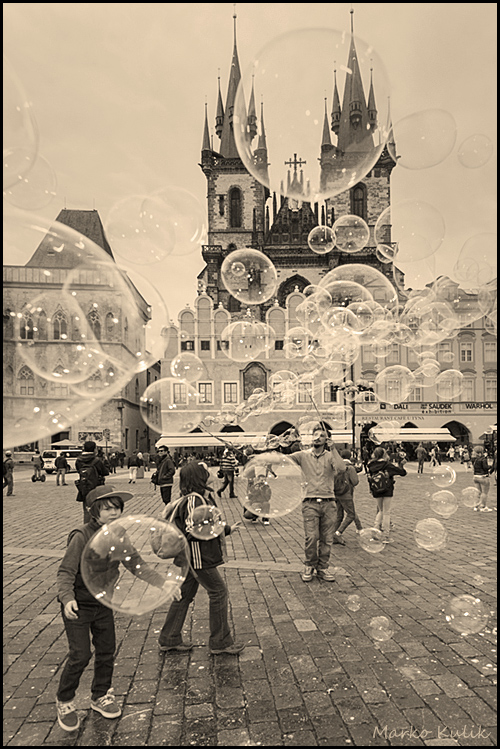
Carré Jacques Cartier - Montréal by Marko Kulik

Carré Jacques Cartier — Mon­tréal by Marko Kulik


Photography forum image of the month December 2011

Every month on our pho­tog­ra­phy forum mem­bers nom­i­nate images that they like. Then at the end of the month I choose an excel­lent image and talk about why it rocks. The photo I choose is not nec­es­sar­ily the best one of the month. I’ve come to real­ize it’s not really log­i­cal to pit images from totally dif­fer­ent gen­res against each other. That’s why there are cat­e­gories in photo con­tests. I just choose a photo that has extremely strong ele­ments that we can learn from.

The Peace Bridge - At Last!  by JAS_Photo

The Peace Bridge — At Last! by JAS_Photo

This month’s choice is (click to see the larger ver­sion of this image)  The Peace Bridge — At Last! by JAS_Photo

I chose this image for sev­eral reasons:

1 — Com­po­si­tion — This is a very strong com­po­si­tion and the bridge itself acts as a fan­tas­tic lead­ing line. It guides our eye beau­ti­fully into the image. In addi­tion, aside from the shape of the bridge itself, there are also other “mini-shapes” in the bridge itself as well as all around the image. These other mini-shapes add a lot of inter­est to the image.

2 — Tones and post pro­cess­ing — The bridge itself is selec­tively coloured in this image and I like that very much in this case. I feel it works and offers a new take on what is likely a heav­ily pho­tographed piece of infra-structure. For me it sug­gests ‘some­thing new’ being intro­duced into a city. The desat­u­ra­tion of the back­ground com­pli­ments the bridge and really makes the bridge pop.

3 — Story and per­spec­tive — This bridge is still a work in progress and we can see a crane in the back­ground that sug­gests this. We see the bridge “mov­ing” toward the back­ground which sug­gests to me some­thing new being intro­duced to some­thing older. The angle or per­spec­tive from which the image was taken was very well cho­sen to sug­gest this story.

For all these rea­sons, this is my choice for image of the month. Since we all have opin­ions, some mem­bers may dis­agree with my choice. That’s cool but THIS thread is not the place for debate over my pick, NOR is it the place to fur­ther cri­tique the image. The pur­pose here is to sug­gest strong ele­ments in the photo that we may learn from.

Con­grats again JAS_Photo for cre­at­ing this won­der­ful image!


Photography forum image of the month November 2011

Every month on our pho­tog­ra­phy forum mem­bers nom­i­nate images that they like. Then at the end of the month I choose an excel­lent image and talk about why it rocks. The photo I choose is not nec­es­sar­ily the best one of the month. I’ve come to real­ize it’s not really log­i­cal to pit images from totally dif­fer­ent gen­res against each other. That’s why there are cat­e­gories in photo con­tests. I just choose a photo that has extremely strong ele­ments that we can learn from.

Fight Club! by Lizardqing

Fight Club! by Lizardqing


This month’s choice is (click to see the larger ver­sion of this image) Fight Club! by Lizardqing

I chose this image for sev­eral reasons:

1 — Timing/Decisive moment. You gotta have a quick trig­ger fin­ger to catch a moment like this or you will miss it. We’ve all missed fab oppor­tu­ni­ties like this, or mis­framed oppor­tu­ni­ties like this; good on Lizardquing for this fab capture.

2 — Com­po­si­tion — I really like the com­po­si­tion here. It is espe­cially impres­sive given the speed needed to catch this image. I really like the faun at the right side as well as the posi­tion of the trees.

3 — Exposure/lighting/colour — Expo­sure looks very good here and could eas­ily have been missed given the light­ing. Good choice of shutter-speed to keep things fairly sharp but still reveal motion in the deers’ front legs. Lovely colour palette as well. The light­ing is won­der­ful in this image, good on Lizardqing for being there early enough to capture.

For all these rea­sons, this is my choice for image of the month. Since we all have opin­ions, some mem­bers may dis­agree with my choice. That’s cool but THIS thread is not the place for debate over my pick, NOR is it the place to fur­ther cri­tique the image. The pur­pose here is to sug­gest strong ele­ments in the photo that we may learn from.

Con­grats again Lizardqing for cap­tur­ing this won­der­ful moment!

Photography forum image of the month October 2011

Every month on our pho­tog­ra­phy forum mem­bers nom­i­nate images that they like. Then at the end of the month I choose an excel­lent image and talk about why it rocks. The photo I choose is not nec­es­sar­ily the best one of the month. I’ve come to real­ize it’s not really log­i­cal to pit images from totally dif­fer­ent gen­res against each other. That’s why there are cat­e­gories in photo con­tests. I just choose a photo that has extremely strong ele­ments that we can learn from.

Autumn Web by Richard

Autumn Web by Richard

This month’s choice is (click to see the larger ver­sion of this image)  Autumn Web by Richard

I chose this image for sev­eral reasons:

1 — Plan­ning and exe­cu­tion — This strik­ing image is the result of plan­ning, it didn’t “just hap­pen” and it wasn’t a quick snap. The light­ing, comp and post-processing are all well thought out here. The result is a strik­ing moody fall image.

2 — Com­po­si­tion — details — post­pro­cess­ing — Lovely ren­dered details like the spi­der as well as the spider’s web all con­tribute to the com­po­si­tion here. Spi­der is framed nicely between the red leaves and against the back­light. The post­pro­cess­ing includ­ing the vignette and pos­si­ble selec­tive sharp­en­ing are guid­ing our eyes thought­fully with­out distractions.

3 — Light­ing — Mood — Back­light­ing is a chal­leng­ing light to deal with, but Richard bal­ances it well with off cam­era flash. The end result is an image with a lovely mood that would likely have felt too dark with­out the added light.

4 — Selec­tive focus — A wide aper­ture is well used here to get the dreamy back­ground bokeh. It adds another ‘layer’ to the image.

For all these rea­sons, this is my choice for image of the month. Since we all have opin­ions, some mem­bers may dis­agree with my choice. That’s cool but THIS thread is not the place for debate over my pick, NOR is it the place to fur­ther cri­tique the image. The pur­pose here is to sug­gest strong ele­ments in the photo that we may learn from.

Con­grats again Richard for cre­at­ing this strik­ing image!