Results 1 to 10 of 15

Need Help With Valentine's Present - Need Some Expert PP Work Done

This is a discussion on Need Help With Valentine's Present - Need Some Expert PP Work Done within the Black and White - Monochrome/Monotone - photography forum forums, part of the Photography & Fine art photography category; I want to get one of these images put on canvas for my wife's Valentine's present. Both images lack sharpness ...

Hybrid View

Previous Post Previous Post   Next Post Next Post
  1. #1
    theantiquetiger's Avatar
    theantiquetiger is offline Moderator
    Join Date
    Aug 2011
    Location
    Baton Rouge
    Posts
    2,774
    My Photos
    Please feel free to edit my photos
    Critiques
    Critique my photos anywhere in the forum

    Default Need Help With Valentine's Present - Need Some Expert PP Work Done

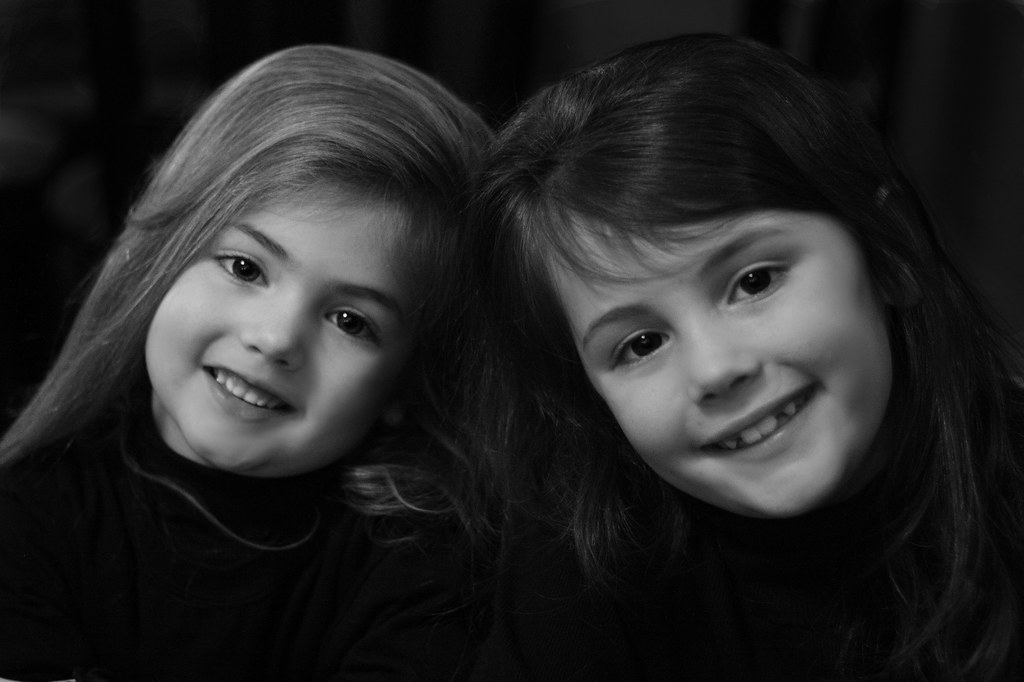
    I want to get one of these images put on canvas for my wife's Valentine's present.

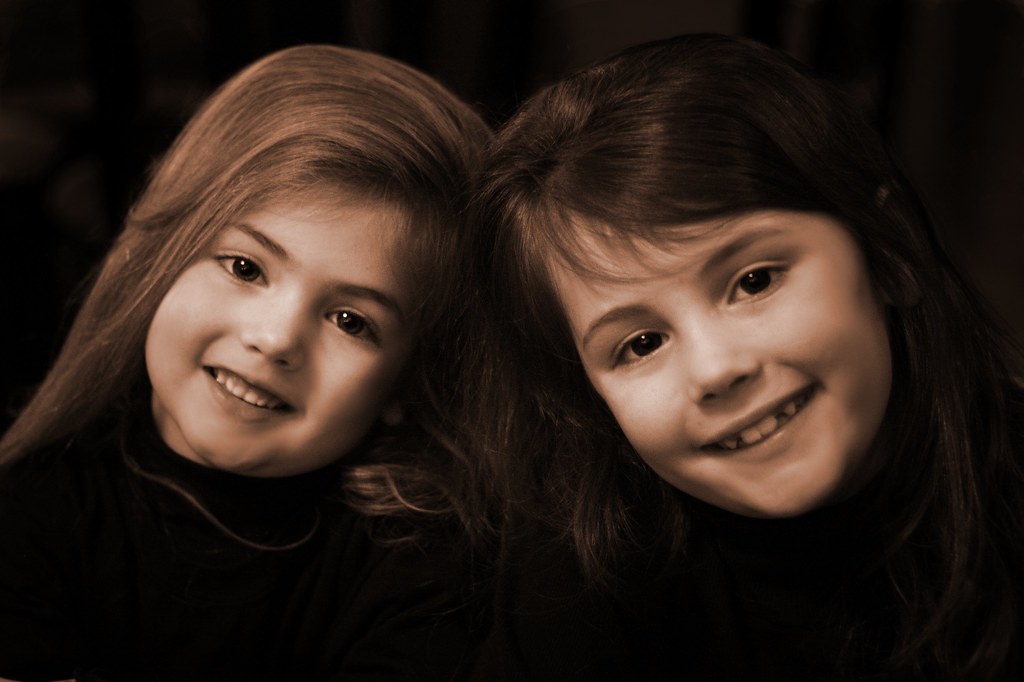
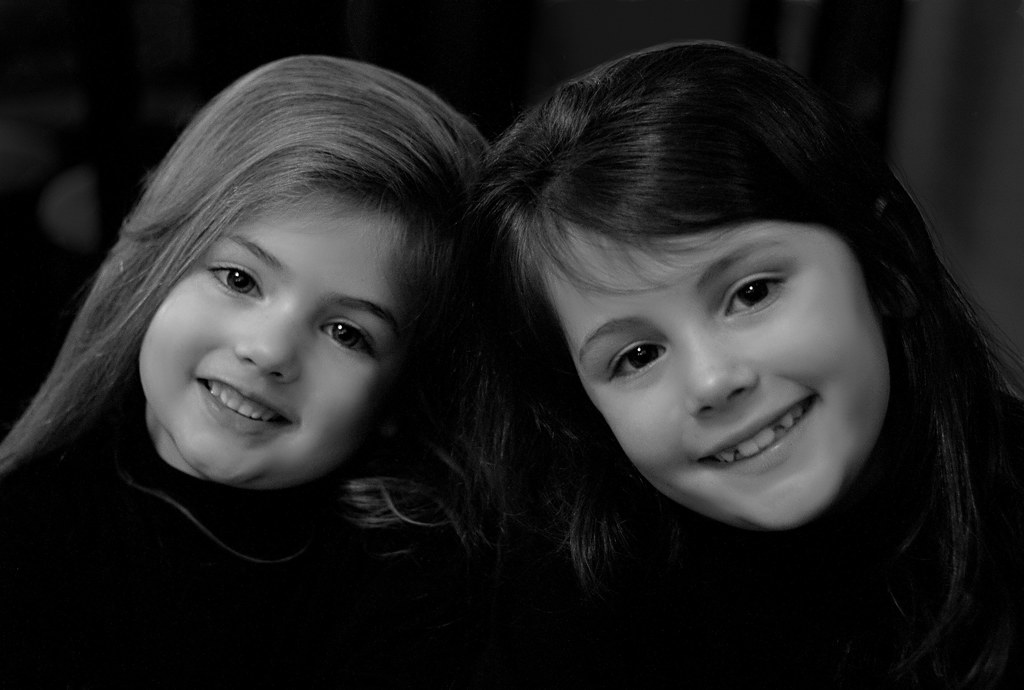
    Both images lack sharpness in one of the girls' eyes. With my lack of PP skills and only having Gimp, this is the best I could coem up with. I didn't even try to work on the second image (which I like the pose better).

    If some one can do one of them for me (doesn't matter which), I can upload the original large raw file to Rapidshare.

    I need it by Monday evening.

    Here is the link to the first raw image in Rapidshare https://rapidshare.com/files/2057487695/IMG_5088.CR2


    Here is the link to the second raw image in Rapidshare https://rapidshare.com/files/357233826/IMG_5087.CR2


    original #1


    My PP work (BW & Sepia)


    #2 original
    Last edited by theantiquetiger; 01-26-2012 at 06:33 AM.

  2. #2
    theantiquetiger's Avatar
    theantiquetiger is offline Moderator
    Join Date
    Aug 2011
    Location
    Baton Rouge
    Posts
    2,774
    My Photos
    Please feel free to edit my photos
    Critiques
    Critique my photos anywhere in the forum

    Default

    While playing around with the first image, I decided to see what a faux HDR in Gimp ould do to it. I like it very much. So if no one helps, I am going with this one.


  3. #3
    theantiquetiger's Avatar
    theantiquetiger is offline Moderator
    Join Date
    Aug 2011
    Location
    Baton Rouge
    Posts
    2,774
    My Photos
    Please feel free to edit my photos
    Critiques
    Critique my photos anywhere in the forum

    Default

    I found a surprise in my e-mail inbox from Vyeko. He took the second image and worked it for me. What I don't understand, the image was shot BW, not just converted. In RAW, I see it in BW. Is there a color image in RAW that I don't see.

    Thanks for the image Vyeko


  4. #4
    asnow is offline Senior Member
    Join Date
    Jul 2010
    Location
    mississauga, on
    Posts
    4,977
    My Photos
    Please feel free to edit my photos
    Critiques
    Critique my photos anywhere in the forum

    Default

    Here's my shot at an explanation. Somebody please correct me if I am wrong.

    You set the camera to shoot in BW. The RAW file still contains all the information including the colour information. With the BW setting, the camera is converting the RAW information to a BW jpeg and displaying that on the back of the camera. What some people don't know is the RAW image has a jpeg imbedded in it. So if you had set you camera to RAW + jpeg you would be getting.
    1 - RAW file which has all information including colour
    1 - imbedded jpeg (in the RAW file) in BW
    1 - separate jpeg file in BW

  5. #5
    theantiquetiger's Avatar
    theantiquetiger is offline Moderator
    Join Date
    Aug 2011
    Location
    Baton Rouge
    Posts
    2,774
    My Photos
    Please feel free to edit my photos
    Critiques
    Critique my photos anywhere in the forum

    Default

    Quote Originally Posted by asnow View Post
    Here's my shot at an explanation. Somebody please correct me if I am wrong.

    You set the camera to shoot in BW. The RAW file still contains all the information including the colour information. With the BW setting, the camera is converting the RAW information to a BW jpeg and displaying that on the back of the camera. What some people don't know is the RAW image has a jpeg imbedded in it. So if you had set you camera to RAW + jpeg you would be getting.
    1 - RAW file which has all information including colour
    1 - imbedded jpeg (in the RAW file) in BW
    1 - separate jpeg file in BW
    I understand what you are saying, but when I pull up these CR2 images, I see them in BW, they are not jpegs yet. I shoot in RAW, not Raw+jpeg.

    I guess I have your second explanation "1 - imbedded jpeg (in the RAW file) in BW".

    So, how do I see the color side of the RAW BW image?

  6. #6
    vyeko's Avatar
    vyeko is offline Senior Member
    Join Date
    Dec 2011
    Location
    maribor,slovenia,EU
    Posts
    724
    My Photos
    Please do NOT edit my photos
    Critiques
    Critique my photos anywhere in the forum

    Default

    Yes this is interesting and I don`t understood too.I see icon of RAW file on my desktop like small B/W image but when I open in Camera RAW it is in color.

Bookmarks

Posting Permissions

  • You may not post new threads
  • You may not post replies
  • You may not post attachments
  • You may not edit your posts
  •  

1 2 3 4 5 6 7 8 9 10 11 12 13 14 15 16 17 18 19 20 21 22 23 24 25 26 27 28 29 30 31 32 33 34 35 36