Photography podcast #63 features a review of the Colormunki and the i1XTreme monitor/printer/projector profiling systems. These are hardware systems that use a spectrophotometer to measure the color from hardware devices like monitors, printers, projectors (and in the case of the i1XTreme, scanners and cameras as well). So many of us are printing from our homes, offices or home-offices and we want accurate colours from our RGB or CMYK printers. These hardware devices absolutely simplify this extremely confusing process and both products come highly recommended. After the review, we ask Joe Brady of MACgroupUS in a telephone interview, to clarify what we need to do in Photoshop’s printing dialogue boxes to assure us of a good monitor to printer print. This is a common area of confusion for many photographers trying to print on their own printers.
UPDATE — In the podcast I say that the ColorMunki is restricted to use on 3 monitors. This restriction has been lifted.
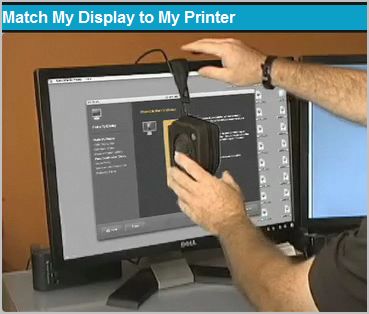
The ColorMunki

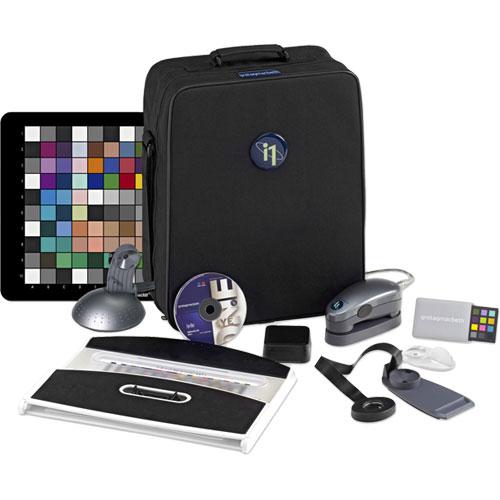
i1Xtreme
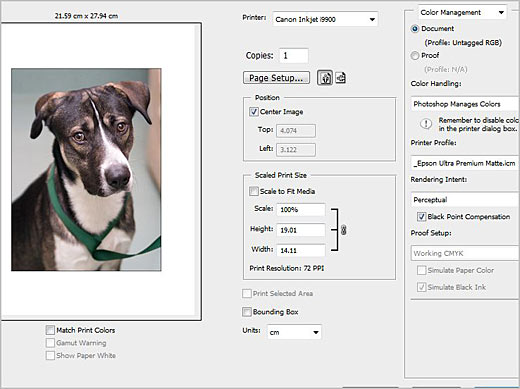
Photoshop’s dialogue boxes
Links mentioned in this podcast:
colormunki
i1XTREME
ColorMunki summary tutorial on Youtube
X-rite Eye One ( i1 ) 1 of 2 — Monitor Setup from colorHQ.com
X-rite Eye One ( i1 ) 2 of 2 — Monitor Adjustments from colorHQ.com
Podcast #62 — Monitor — printer calibration (an introduction) — Interview with Joe Brady
Purchase the colorMunki at B&H — Purchase the i1XTreme at B&H (what I reviewed) Purchase the i1 Photo at B&H (a good alternative if you don’t need the extra bells and whistles).
Joe Brady Photography
Link I forgot to mention — Just like there are better monitors for photography, there are better printers with good print drivers that work well with the 2 systems reviewed in this podcast. 2 recommended printers Epson R1900 and Epson R2880 at B&H
If you are still lurking, feel free to join our friendly  Photography forum
Thanks as always to Steven K, benny, Lovin and SuzieQ who posted a blog comment about our last podcast and to all the new members of the bulletin board.
If you are looking at this material on any other site except Photography.ca — Please hop on over to the Photography.ca blog and podcast and get this and other photography info directly from the source. I Subscribe with iTunes I Subscribe via RSS feed I Subscribe with Google Reader I Subscribe for free to the Photography podcast — Photography.ca and get all the posts/podcasts by Email
You can download this photography podcast directly by clicking the preceding link or listen to it almost immediately with the embedded player below.
Podcast: Play in new window | Download


Yet again! an excellent podcast / article. We use x-rite for all of our calibration devices. Thanks for information!
That is GREAT to know — Thanks so much, and I’m about to edit the shownotes.
I thought jou might like to know:
http://www.xrite.com/product_overview.aspx?ID=1115&Action=support&SupportID=4658
As of March 2009 the previous 3 seat license restriction has been removed from the ColorMunki Photo product.
Now you can install and run your ColorMunki software on any number of computers that you own! We’ve been listening to our customers, to the blogs and the many forums that state the ColorMunki 3 seat end-user license policy is difficult to adhere to. Many photographers have indicated that they have more than 3 systems in their studio, and they would like to freely move the device around.
Therefore, X-Rite is immediately changing the 3 seat license policy within ColorMunki Photo and extending the use to an unlimited number of seats.
Colormunki is about 450 USD
i1 extreme is 1499.00 USD
i1 pro is about 1299.00
— The differences are described in the B& H links in this post.…but BOTH can calibrate printers, the Spyder cannot.
what is the price for this? I have used a spider at my old work before, it did the trick, this seem a bit more advance even with a meter, pretty cool
A brilliant post! I’ve been looking forward for such an indepth informative post. Does the ColorMonkey realy let you calibrate (just) 3 monitors? That scarred me because I was ready to buy one. It’s not in any of the documentation. (ColorMunki Photo includes an unlimited seat license for all users.) Thanks a lot for the informative, friendly podcasts. It’s highly appreciated
Another excellent podcast Marko. Of course now I have to save some money for a calibration devoce. Thanks a lot